


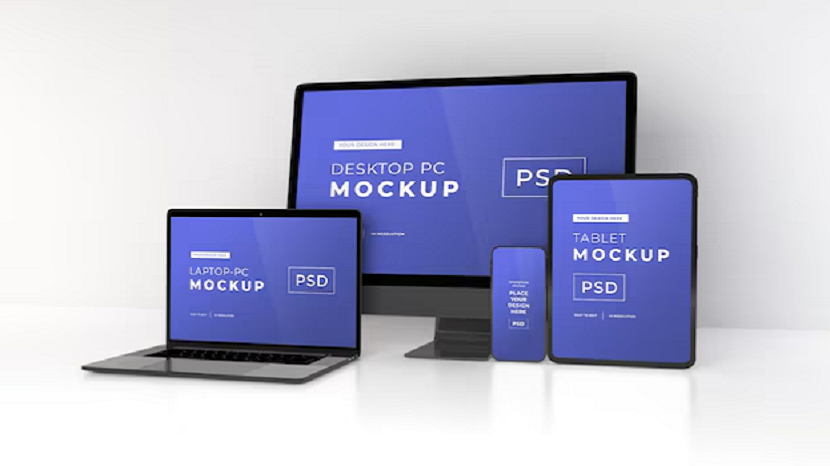
A design can look completely finished and still not be ready for development.
That usually becomes obvious only after someone opens the file with a different goal in mind. Not to review it or tweak visuals, but to actually build something from it. At that point, the design stops being just an image and starts acting like a set of instructions.
And if those instructions are unclear, everything slows down.
Most of the time, the issue is not complexity. It is ambiguous. Too many small things that require interpretation instead of being obvious. Nothing is technically wrong, but nothing is immediately clear either.
That is where the difference shows up. Not in how the design looks, but in how easily it can be used.
The moment the file changes its role
Inside Photoshop, a mockup works as a visual composition. Layers can overlap freely. Groups can exist simply because they made sense during the design process. Some decisions are visual, some are intuitive, and some are just quick fixes that worked at the moment.
All of that is fine while the file stays in the design phase.
But once the file leaves that environment, it is read differently.
A developer is not looking at how it feels. The focus shifts to structure. What belongs together. What repeats. What defines layout? What is reusable? What can be ignored?
Even the same element can be interpreted differently depending on how it is organized. Something that looks like a button might actually be just text over a shape. A section that looks unified might be built from unrelated layers.
If those answers are not clear, the file becomes something that needs to be decoded instead of being used.
That decoding process is what slows everything down. Not because it is difficult, but because it repeats over and over again.
That is where preparation starts to matter.
What usually makes a file hard to work with
It is rarely one big issue.
More often, it is a mix of small things that don’t seem important on their own. The design still looks fine, but once someone tries to work with it, everything slows down.
The most common problems tend to look like this:
- Layer names that were never updated and don’t describe anything
- Groups that include unrelated elements
- Spacing that looks right but doesn’t follow any consistent pattern
- Duplicated elements that are slightly different for no clear reason
- Visual alignment that doesn’t match actual values
None of this breaks the design visually.
But once someone tries to extract information from it, everything takes longer than it should. Instead of moving forward, the process turns into constant checking and guessing.
A simple task like identifying a section can turn into multiple clicks. Finding a reusable element can require digging through several groups. Even basic spacing may need to be measured manually.
That kind of friction is not obvious at first. But over time, it adds up more than expected.
Why clarity matters more than precision
There is a common assumption that a design file needs to be extremely precise to be useful.
In practice, clarity matters more.
A slightly imperfect value that is consistent across the file is easier to work with than a perfectly measured layout that changes every few elements. When spacing follows a pattern, it becomes predictable. When it does not, it has to be re-evaluated every time.
The same applies to typography, alignment, and structure.
Consistency reduces the number of decisions that need to be made during development. Instead of figuring things out repeatedly, patterns can simply be followed.
This is where many files create unnecessary complexity. Not because they are detailed, but because they are inconsistent in small ways.
A design that looks refined can still be difficult to implement if every part behaves slightly differently.
A design that is clear and consistent, even if not perfectly polished, is much easier to translate into code.
Where structure actually comes from
A well-prepared mockup does not rely on how it looks at first glance. It relies on how it is organized underneath.
Sections are defined clearly. Not just visually, but in the layer structure itself. It should be possible to collapse the file and still understand what parts exist.
Header, hero, content, footer. Each section should exist as a logical unit, not just a visual grouping.
Inside those sections, elements should be grouped in a way that reflects how they would behave in a real layout. A card component should not be scattered across multiple groups. A navigation item should not be built from unrelated layers.
That alignment between visual structure and logical structure is what makes the file usable.
Without it, everything becomes a one-off decision. Each element has to be interpreted individually instead of being part of a system.
And once that happens, consistency starts to break down during development.
The point where assets start to matter
At some stage, the file stops being just a reference and starts becoming a source of real assets.
Images, icons, backgrounds. Everything that needs to exist outside Photoshop.
This is often where the workflow slows down again.
If assets are not prepared, they have to be extracted manually. Sizes are adjusted on the fly. Formats are chosen without clear guidelines. Sometimes the same asset is exported multiple times in slightly different ways.
It is not difficult work, but it interrupts the flow.
A developer should not need to guess how an image should be exported or what format it should use. Those decisions are better made earlier.
When assets are already defined and ready, that interruption disappears. The process becomes more predictable, and fewer decisions need to be made under time pressure.
Even small things like consistent naming or proper cropping can make a noticeable difference.
When the design needs to become something else
There is a point where a static mockup has to turn into something functional.
That transition is not automatic. It depends on how well the original file communicates its intent.
A design that looks complete still needs to be translated into structure, styles, and behavior. And that translation is only as smooth as the source allows.
If the goal is to understand that process more clearly, it helps to look at how a design is actually translated into markup. This guide on how to convert from PSD to HTML breaks down what happens after the design leaves Photoshop and starts becoming a real page.
Seeing that step makes it easier to understand what needs to be prepared earlier and why certain decisions matter.
It also shows how small inconsistencies in the design can turn into larger issues during implementation.
What makes a mockup “ready”
There is no strict checklist that defines readiness.
It is more about how little explanation the file requires. If someone can open it and immediately understand what is going on, it is ready.
In practice, that usually comes down to a few things:
- Sections are clearly separated and easy to identify
- Layer names describe what elements actually are
- Spacing follows a consistent pattern across the layout
- Assets are prepared and don’t require extra exporting
- Repeating elements are structured in a predictable way
That does not mean everything has to be documented.
It just means the structure should speak for itself. When it does, the need for extra communication almost disappears.
A developer does not need to ask where something belongs or how it should behave. The answers are already there.
What this changes in practice
Once mockups are prepared this way, development stops feeling like a separate phase.
There is less back and forth. Fewer questions. Fewer small corrections that appear later.
Instead of translating the design piece by piece, the developer can move through it with a clear understanding of how everything fits together.
That shift is not dramatic, but it changes the pace of the entire project.
Work becomes more predictable. Less time is spent clarifying details. More time is spent actually building.
It also reduces the number of revisions later, because fewer assumptions are made during implementation.
What it really comes down to
Preparing a Photoshop mockup is not about making it look better. It is about making it readable in a practical sense.
Not visually, but structurally, so that someone else can open the file and understand what to do without slowing down. The goal is not to polish every detail, but to remove the need for interpretation.
A well-prepared file does not rely on explanation. It does not require someone to click through layers to understand what belongs where or how elements relate to each other. The structure is already clear. Sections make sense, spacing follows a pattern, and nothing feels random. Because of that, decisions during development become straightforward instead of repetitive.
When that level of clarity is there, the design stops being something that needs to be translated piece by piece. It becomes something that can be used directly.
Work moves forward without constant checking or second-guessing, and the process feels more stable overall. That is usually the difference between a workflow that drags and one that simply works.
If you found this article helpful, we encourage you to share it on your social media platforms—because sharing is caring! For more information about article submissions on our website, feel free to reach out to us via email.
Send an email
Written by RGB Web Tech
Latest Technology Trends
Latest technology trends shaping the future, including AI advancements, blockchain innovation, 5G connectivity, IoT integration, and sustainable tech solutions. Explore breakthroughs in quantum computing, cybersecurity, augmented reality, and edge computing. Stay ahead with insights into transformative technologies driving innovation across industries and revolutionizing how we live, work, and connect.
Related Articles - Web Development
Types of Web Development
Prior to understanding the web development process, it is crucial to understand the three main types of web development.

Build eCommerce Website with Shopify
Is Shopify FREE Trial good for beginners? We answer all these questions and more in this introductory guide.

Top Selling on Shopify
Read our guide to learn how to sell on Shopify in just simple steps. We will also include some tips to start you off on the right foot.

Tips for Shopify Store
If you have just started your own Shopify store, you will want practical Shopify tips to make sure your ecommerce business succeeds.
eCommerce Website Builder
Build your online store with ease using our powerful eCommerce website builder. Choose templates, add products, and start selling today!
How to Download Web Development Tutorials
Download web development tutorials and learn coding, design, and more. Enhance your skills with step-by-step guides and practical examples.

Most Essential Elements of eCommerce Website
Discover key eCommerce essentials: seamless UX, secure payments, SEO optimization, and more for a thriving online store.

Great Software Development Proposal Include
Craft a compelling software development proposal with vital elements including scope, timeline, budget, and team expertise for project success.

Developers Can Guard Their Software Against IP Theft
Explore effective strategies for developers to protect their software from intellectual property theft, ensuring their creations stay secure.

E-Commerce Trends Matters for Your Business Success
Learn why staying updated with e-commerce trends is crucial for business success, driving innovation and competitive advantage.

Why Terminal Emulators Are Key for Efficient Coding Practices
Discover how terminal emulators boost coding efficiency by simplifying commands, enhancing workflows, and integrating tools effectively.

How Does Access Control Impact Your Websites Security
Explore how access control enhances website security by regulating user permissions and preventing unauthorized data access.

How to Start API Testing in your Organization
Discover the essential steps to kickstart API testing in your organization. Learn best practices, tools, and strategies to ensure robust API performance.
Using The Correct Software Solutions Helps One to Address Management Issues In The Travel And Hospit
Efficient software solutions address management issues in travel and hospitality, enhancing operational efficiency and customer satisfaction.

Webflow vs WordPress
Compare Webflow, WordPress, and custom development options. Discover which platform fits your needs for design, flexibility, and scalability.

Your Website is Live
Launching your website is just the beginning. Discover key steps to drive traffic, boost engagement, and grow your online presence effectively.
How to Prepare a Photoshop Mockup for Development
Learn how to prepare a Photoshop mockup so developers can work with it easily. Clear structure, clean layers, and a smoother design handoff.