


Introduction
Video production is becoming more accessible, but creating a professional-looking video remains a challenge for people without a background in editing or motion design. Generating a basic clip is one thing; organizing information, designing animated visuals, synchronizing elements, and turning everything into a coherent story is considerably more demanding.
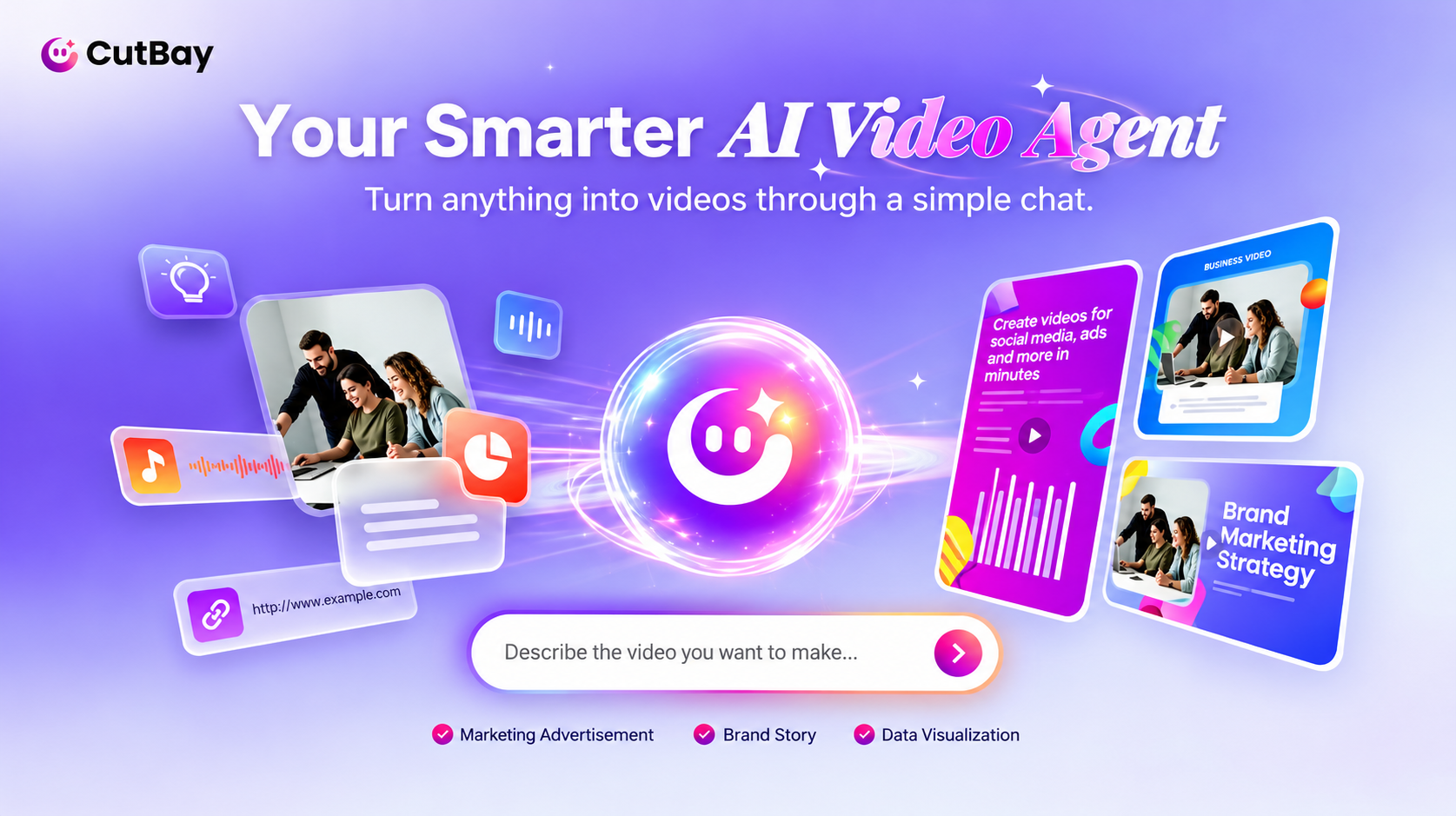
CutBay takes a broader approach to this problem. Rather than focusing exclusively on text-to-video generation, it positions itself as a comprehensive AI video agent that can work from ideas, presentations, documents, webpages, images, and existing footage.
One particularly interesting aspect of this approach is Motion Graphics. Instead of requiring users to master keyframes, animation curves, and complicated design software, CutBay aims to make dynamic visual storytelling more accessible through conversational instructions.
This review examines the platform's approach, its potential advantages over fragmented production workflows, and the limitations users should consider before incorporating it into their creative process.
What Is CutBay?
CutBay is an AI-powered video creation platform built around a conversational production workflow. Users can provide source material, describe their objectives, and use natural-language instructions to guide the creation and refinement of a video.
The distinction between a conventional AI video generator and a more comprehensive AI agent is important.
A generator typically focuses on producing an individual asset, such as a short video clip from a prompt or image. A video agent has a broader objective: helping coordinate the steps required to transform source information into a finished visual presentation.
CutBay's advertised workflow includes understanding the input, planning scenes, arranging visual elements, incorporating dynamic effects, and refining the result through conversation.
For users who need complete informational or promotional videos rather than isolated clips, this workflow offers a different way to approach production.
Motion Graphics Without the Traditional Learning Curve
Motion Graphics is one of the most relevant aspects of CutBay's positioning.
Motion graphics uses movement, typography, shapes, illustrations, charts, and other visual elements to communicate information. It appears in product explainers, business presentations, educational videos, advertisements, and social media content.
Traditional motion design can be technically demanding. Depending on the project, creators may need to manage layers, keyframes, easing, transitions, masks, timing, and compositing. Even a relatively simple animated explainer can require substantial planning and execution.
CutBay aims to lower this barrier by allowing users to describe the desired visual result conversationally.
For example, a user creating a software explainer might request animated feature highlights, moving labels, a sequence of interface callouts, or a visual transition between several steps. An educator might want concepts introduced progressively through animated diagrams. A business owner could describe a promotional video with moving text and product imagery.
The important idea is that users can focus on what the animation should communicate rather than having to specify every technical parameter manually.
This does not mean that conversational instructions automatically produce perfect motion design. The quality of the result still depends on the system's interpretation, the source materials, and the complexity of the requested effect. However, the approach could make motion-based communication more approachable for non-specialists.
From an Idea to a Complete Video
A useful feature of an AI video agent is the ability to begin with different types of input.
1. Idea-Based Creation
Users who start with an idea can describe the intended topic, audience, tone, and purpose. The AI agent can then help organize that information into a video structure.
This approach is relevant to creators who have a clear message but lack the technical knowledge to translate it into scenes and animated visuals.
2. Presentation and Document Conversion
Presentations and documents already contain structured information. A PPT might include a product overview, while a PDF could contain research findings or training materials.
CutBay's document-oriented workflow is designed to help transform these materials into video content. Motion Graphics could be especially useful when the source includes processes, comparisons, statistics, or concepts that benefit from visual explanation.
The main editorial requirement is accuracy. Generated scenes and narration should preserve the original meaning rather than simplifying the source to the point of distortion.
3. Existing Media and Web Content
Images, videos, and webpages can provide additional context or visual assets. This makes the workflow potentially relevant to marketers who want to repurpose existing content rather than start from a blank project.
However, users should verify that selected visuals accurately represent the source and that they have the necessary rights to use the material.
Conversational Editing as a Creative Interface
Another important part of CutBay's approach is the ability to refine a project through dialogue.
Traditional editing interfaces expose users to numerous controls. Conversational editing offers a different interaction model: describe the intended change, review the result, and provide further instructions where necessary.
This can be particularly appealing for users who understand the desired outcome but do not know the terminology associated with animation software.
For example, instead of manually adjusting every element in a title sequence, a user might request a more dynamic introduction, clearer text hierarchy, or a smoother transition between sections.
The practical question is how precisely the system applies these changes. A useful evaluation should examine whether edits remain localized, whether the overall visual style stays consistent, and whether repeated instructions produce predictable results.
Who Is CutBay AI For?
CutBay appears most relevant to several groups.
1. Marketing teams can explore animated product explainers, promotional videos, and campaign assets.
2. Educators and trainers may find Motion Graphics useful for illustrating concepts that are difficult to explain through static slides alone.
3. Small businesses can investigate creating more visually engaging content without hiring a dedicated motion designer for every project.
4. Content creators may use the platform to repurpose written materials and existing media into complete video presentations.
Professional motion designers may also find value in AI-assisted production, although their requirements for exact timing, custom animation, and granular control may be more demanding.
Strengths and Limitations
CutBay's main potential strength is workflow integration. Rather than treating scripting, scene planning, animation, and editing as entirely separate tasks, it brings them together within an AI-assisted process.
Its conversational approach could also lower the initial technical barrier to Motion Graphics, opening up dynamic visual storytelling to a wider group of users.
The principal limitation is that accessibility should not be confused with guaranteed professional quality. Automated visuals may be irrelevant, animations may not support the message, and generated scripts may require factual correction.
Users should also evaluate export quality, available editing controls, generation limits, credit consumption, and commercial-use terms before choosing a production tool.
Final Verdict
CutBay is an interesting option for users who want to move beyond isolated AI-generated clips and create complete videos from ideas and existing materials.
Its emphasis on Motion Graphics and conversational editing is particularly relevant to people who want dynamic visual effects but lack professional animation skills.
The platform's value will ultimately depend on how well it translates instructions into coherent, editable, and publication-ready videos. For marketers, educators, and small creative teams, it is worth evaluating through representative projects that combine real source material with specific animation requirements.
If you found this article helpful, we encourage you to share it on your social media platforms—because sharing is caring! For more information about article submissions on our website, feel free to reach out to us via email.
Send an email
Written by RGB Web Tech
Latest Technology Trends
Latest technology trends shaping the future, including AI advancements, blockchain innovation, 5G connectivity, IoT integration, and sustainable tech solutions. Explore breakthroughs in quantum computing, cybersecurity, augmented reality, and edge computing. Stay ahead with insights into transformative technologies driving innovation across industries and revolutionizing how we live, work, and connect.
Related Articles - Artificial Intelligence

AI Video Maker
Best AI Video Maker tools for effortless video creation. Turn text into stunning videos with automation, avatars, and editing AI.

AI Writing Tools
Boost your writing with AI Writing Tools for content creation, editing, and SEO. Improve quality, engagement, and efficiency effortlessly!

AI Image Generator
Best AI Image Generators to create stunning visuals effortlessly. Explore top tools, features, and unleash your creativity

AI Social Media Post Generator
Best AI social media post generators to automate content creation, boost engagement, and optimize your marketing strategy.

AI Logo Generator
Top 10 AI logo generators for effortless branding. Create professional logos instantly with AI-powered design tools.

AI Powerpoint Maker
Best AI PowerPoint makers to create stunning presentations effortlessly with smart design, automation, and collaboration tools.

AI Code Generator
AI Code Generators enhance coding efficiency with AI-driven suggestions, auto-completions, and debugging tools for multiple languages.

Artificial Intelligence
What Artificial Intelligence (AI) is, how it works, its types, applications, and impact on various industries.

Artificial Intelligence Work
How Artificial Intelligence works, from machine learning to deep learning, and how AI powers modern technology.

Create an Artificial Intelligence System
Learn how to create an AI system step by step, from data collection to model deployment, using machine learning and deep learning.
Google I/O 2025: AI and Search Innovations
Discover the top AI & search updates from Google I/O 2025—Gemini Live, AI agents, real-time translation, and the future of SEO. Learn how to adapt now!

How AI Writing Tools Improve Content Quality of Your Blogs
How can you make your blogs more engaging? AI writing tools cut errors, save time, give fresh ideas, & help your words sound natural.

How AI Is Redefining the Future of News & Information Work
How artificial intelligence is transforming news creation and information work, from automated journalism to smarter content analysis and faster reporting.

Why Artificial Intelligence is the Brain Your IoT Devices
Why AI powers smarter IoT devices in 2026, enabling automation, real-time insights, and enhanced efficiency across industries and homes.

Emerging Technology Risks Every Project Manager Should Be Planning For Today
Explore causes of data system failures, their business impact, and proven solutions to prevent downtime, data loss, and security risks effectively.

Best AI Infrastructure Providers for Scaling AI Applications in 2026
Best AI infrastructure providers for 2026. Compare scalable cloud, GPUs, AI platforms, pricing, and performance for growing AI applications.
CutBay Review: A New Approach to Video Creation Through AI Agents and Motion Graphics
Read our CutBay Review to learn how AI agents and motion graphics simplify video creation, streamline editing, and help creators produce professional videos.